Advertising Plugin for the Server 16.03.2020
About this content
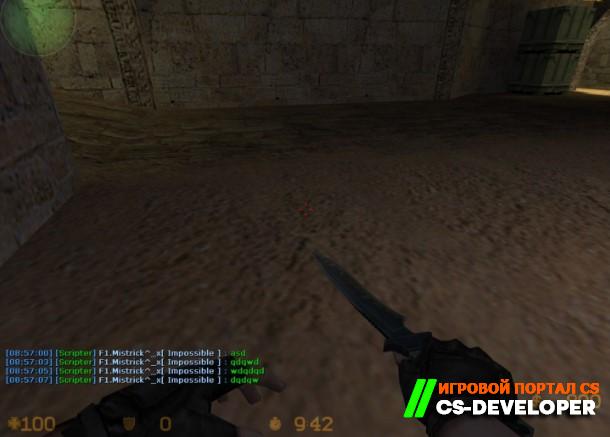
This plugin is designed to display messages specified in the config in chat.
Server commands (entered in the server console):
- reklama_status - display the total number of messages, as well as the number of the last message shown
- reklama_show - display a specific message (example: reklama_show 2)
- reklama_reload - reload the message config
- say /reklama - enable/disable message display
This plugin is designed to display messages specified in the config in chat.
- Messages are displayed cyclically, one after another, at the interval set by the cvar
- ML keys and substitution templates are supported (see. the 'Installation and Configuration' section)
- Colored messages are supported
- Mode-based message display (based on a cvar value) is supported
- Starting from a random position is supported
- A random delay between messages is supported
- Displaying several messages at once (multi-display) is supported
- Accompanying messages with various sounds is supported
- Reloading the message config 'on the fly' is supported
- Messages can be disabled individually
- An auto-responder is available (a private reply to a player when they use a predefined word/phrase)
- Installation
- Move reklama.txt to the directory /amxmodx/data/lang/
- Edit the config reklama.ini to your liking
- Move the config to the directory /amxmodx/configs/
- Open reklama.sma and configure it to your liking (the "SETTINGS")
- Compile the plugin (instructions).
- Move the compiled reklama.amxx to the directory /amxmodx/plugins/
- Add reklama.amxx to the file /amxmodx/configs/plugins.ini ABOVE the plugin responsible for chat
- Change the map
- Edit the plugin config in 'amxmodx/configs/plugins' to your liking
- Settings
- Plugin cvars:
- reklama_freq_min - sets the minimum interval between messages
- reklama_freq_max - sets the maximum interval between messages
- reklama_for_all - 1/0, display messages to all players or only to dead players
- reklama_mode - display all messages, otherwise only those whose 'mode' matches the value (messages with the value 0 are always displayed)
- reklama_sound_for_all - 1/0, play sounds for everyone, otherwise only for dead players (everyone can hear auto-responder sounds)


Comments (0)