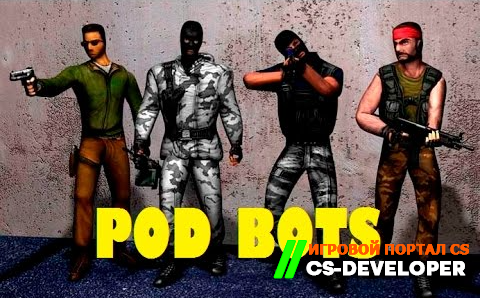
New version of PODBot
About this content
There are few people on your server and you want it to be played on consistently, day and night? Then you need PodBot.
you need PodBot.
PodBot is one of the best bots available today, compatible with CSDM, GunGame and other mods. The main feature of the new version is that it is optimized, putting several times less load on the computer, which reduces lag and helps improve shooting.
1) Download "podbot_full_V3B24" (the latest version of the module)
2) Unpack "podbot_full_V3B24", copy the folder podbot в cstrike/addons
3) Go to the folder cstrike/addons/metamod, open plugins.ini and add one of the lines corresponding to your OS:
for Windows:
win32 addons/podbot/podbot_mm.dll
for Lunix:
linux addons/podbot/podbot_mm_i386.so
for Linux amd64:
linux addons/podbot/podbot_mm_amd64.so
1. podbot.cfg
pb_maxbots 16 - maximum number of bots on the server
pb_bot_join_team "ANY" - which team bots will join ("ANY", "T", "CT")
pb_skin 5 - bot skin (1, 2, 3, 4; 5 - random skin)
pb_spray 1 - allows bots to spray logos
pb_ffa 0 - support for FFA mode in the CSDM mod
pb_firsthumanrestart 1 - restarts after the first player connects
pb_shootthruwalls 1 - allows bots to shoot through walls at "sound"
pb_numfollowuser 5 - maximum number of bots that can respond to the "Follow Me" radio command
pb_minbotskill 95 - minimum bot skill (1-99)
pb_maxbotskill 100 - maximum bot skill (2-100)
pb_maxweaponpickup 10 - maximum number of weapons a bot can pick up per round
pb_mapstartbotdelay 10 - how many seconds after the map loads before bots are added
pb_autokill 0 - allows bots to be automatically killed if all players are dead
pb_autokilldelay 45 - how many seconds after the last player dies before the bots are autokilled
pb_maxcamptime 30 - maximum amount of time a bot can stay in one place
pb_detailnames 1 - this setting controls the appearance of the bot's name:
1 - [POD] Neuromancer (99)
2 - [POD] Neuromancer
3 - Neuromancer (99)
0 - Neuromancer
pb_chat 1 - allows bots to use chat
pb_latencybot 0 - displays the text "BOT" instead of ping (0 - off, 1 - on, 2 - fake ping)
pb_radio 1 - allows bots to use radio commands
pb add 100 - this command adds a bot to the server (100 - bot skill)
bind "=" "pb menu" - assigns a key to open the podbot menu
pb_maxbots 16 - maximum number of bots on the server
pb_bot_join_team "ANY" - which team bots will join ("ANY", "T", "CT")
pb_skin 5 - bot skin (1, 2, 3, 4; 5 - random skin)
pb_spray 1 - allows bots to spray logos
pb_ffa 0 - support for FFA mode in the CSDM mod
pb_firsthumanrestart 1 - restarts after the first player connects
pb_shootthruwalls 1 - allows bots to shoot through walls at "sound"
pb_numfollowuser 5 - maximum number of bots that can respond to the "Follow Me" radio command
pb_minbotskill 95 - minimum bot skill (1-99)
pb_maxbotskill 100 - maximum bot skill (2-100)
pb_maxweaponpickup 10 - maximum number of weapons a bot can pick up per round
pb_mapstartbotdelay 10 - how many seconds after the map loads before bots are added
pb_autokill 0 - allows bots to be automatically killed if all players are dead
pb_autokilldelay 45 - how many seconds after the last player dies before the bots are autokilled
pb_maxcamptime 30 - maximum amount of time a bot can stay in one place
pb_detailnames 1 - this setting controls the appearance of the bot's name:
1 - [POD] Neuromancer (99)
2 - [POD] Neuromancer
3 - Neuromancer (99)
0 - Neuromancer
pb_chat 1 - allows bots to use chat
pb_latencybot 0 - displays the text "BOT" instead of ping (0 - off, 1 - on, 2 - fake ping)
pb_radio 1 - allows bots to use radio commands
pb add 100 - this command adds a bot to the server (100 - bot skill)
bind "=" "pb menu" - assigns a key to open the podbot menu
Comments (2)