Program “HL1 MDL Compiler & Decompiler”
About this content
HL1 MDL Compiler & Decompiler - A program (script) that allows you to “decompile” and “compile” models.
Compiler feature list:
1. supports very large models (up to 16 megabytes).
2. can compile textures into a model without errors or memory corruption (the original compiler was buggy and crashed, as you may remember).
3. supports acts from the Xash-mod (ACT_VM_*) for viewmodels.
4. supports up to 16 blends per animation (the original studiomdl supported up to 4x).
5. supports the $texrendermode command (masked and additive).
6. supports textures sized 1024x1024.
7. supports up to 768 frames in an animation (previously 512)
8. a new argument has been added to the $texrendermode command: the “fullbright” parameter.
the archive has been updated; an argument has been added to the $texrendermode command: the “fullbright” parameter. Works only with Xash3D builds 1850 or later.
2. can compile textures into a model without errors or memory corruption (the original compiler was buggy and crashed, as you may remember).
3. supports acts from the Xash-mod (ACT_VM_*) for viewmodels.
4. supports up to 16 blends per animation (the original studiomdl supported up to 4x).
5. supports the $texrendermode command (masked and additive).
6. supports textures sized 1024x1024.
7. supports up to 768 frames in an animation (previously 512)
8. a new argument has been added to the $texrendermode command: the “fullbright” parameter.
the archive has been updated; an argument has been added to the $texrendermode command: the “fullbright” parameter. Works only with Xash3D builds 1850 or later.
Instructions:
1) Extract HL1 MDL Compiler & Decompiler.rar
2) Put the model in the HL1 MDL Compiler & Decompiler folder
3) Open compiler.bat or decompiler.bat
3.1) compiler.bat - Used to “compile” a model
3.2) decompiler.bat - Used to “decompile” a model
4) Move the file
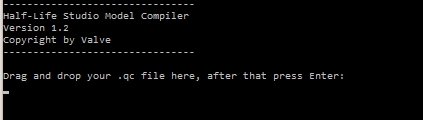
4.1) To “compile” a model, drag *.qc onto compiler.bat and press Enter.
4.2) To “decompile” a model, drag *.mdl onto decompiler.bat and press Enter.
2) Put the model in the HL1 MDL Compiler & Decompiler folder
3) Open compiler.bat or decompiler.bat
3.1) compiler.bat - Used to “compile” a model
3.2) decompiler.bat - Used to “decompile” a model
4) Move the file
4.1) To “compile” a model, drag *.qc onto compiler.bat and press Enter.
4.2) To “decompile” a model, drag *.mdl onto decompiler.bat and press Enter.
Comments (0)