Catalog News Guides Community For contributors
Everything for CS 1.6 / CSS / CS:GO servers - Plugins | Builds | Models | Maps » Web add-ons » GameCMS » GameCMS Installation Manual
GameCMS Installation Manual

17.03.2020, 00:11adminViews: 8 306Comments: 9
GameCMS Installation Manual

About this content

GameCMS NULLED - detailed manual for installing the script on web hosting.  

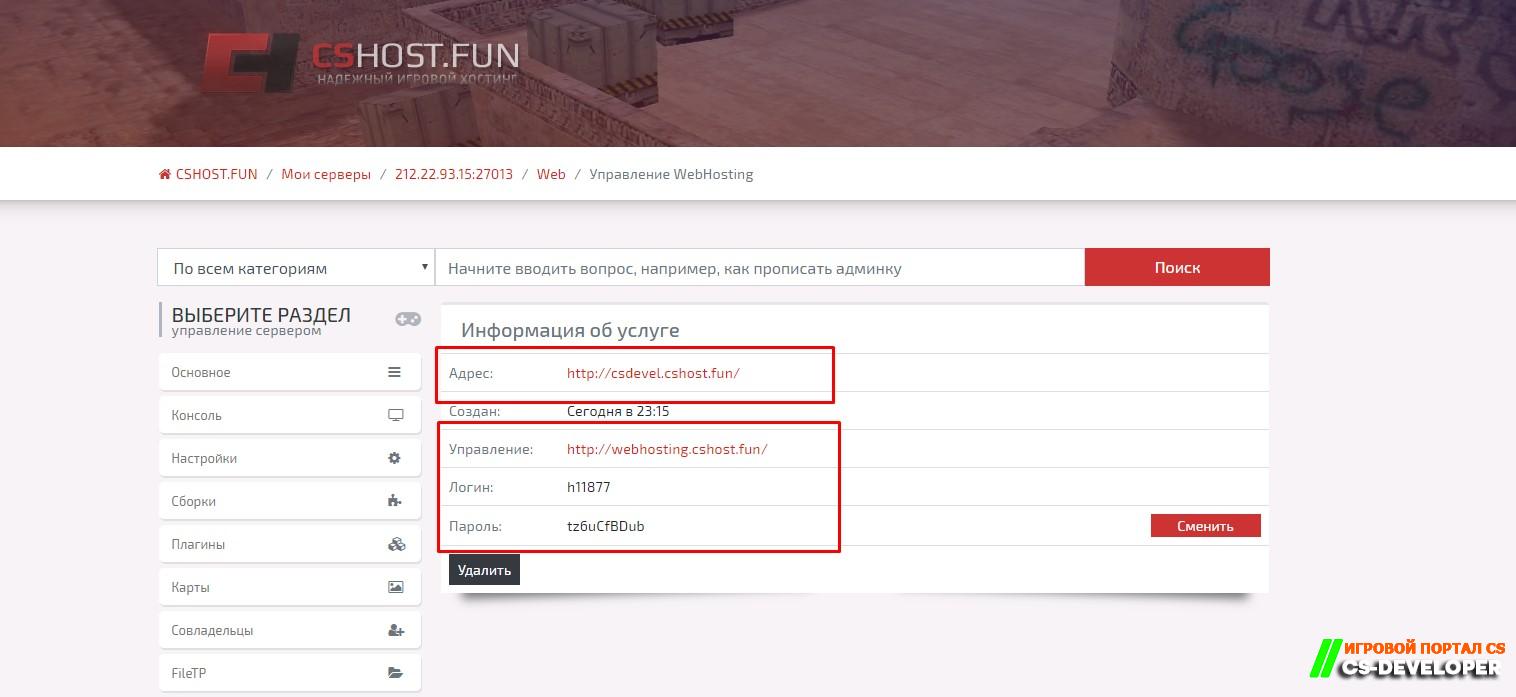
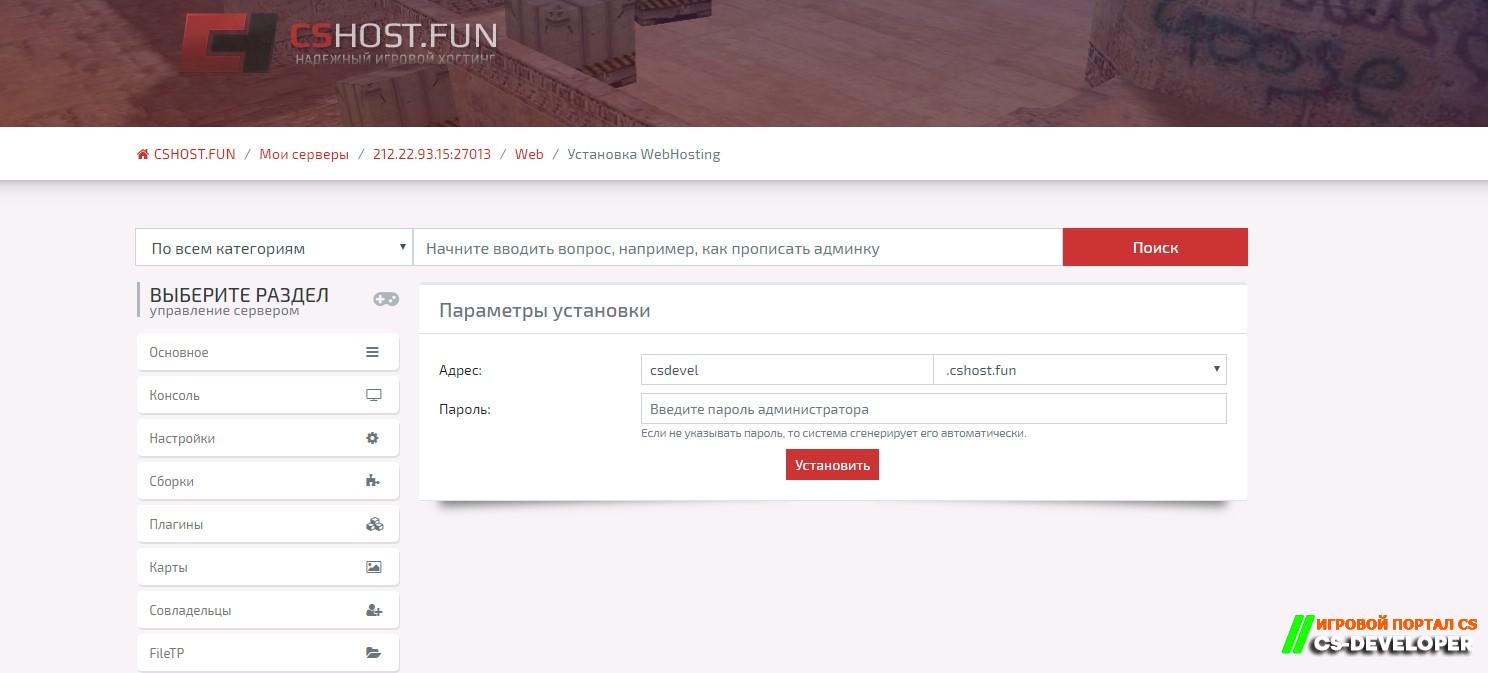
For testing, we use the hosting of our partner CSHOST.FUN ( Web hosting is provided absolutely free of charge to all clients  )
Order web hosting and get the login details.

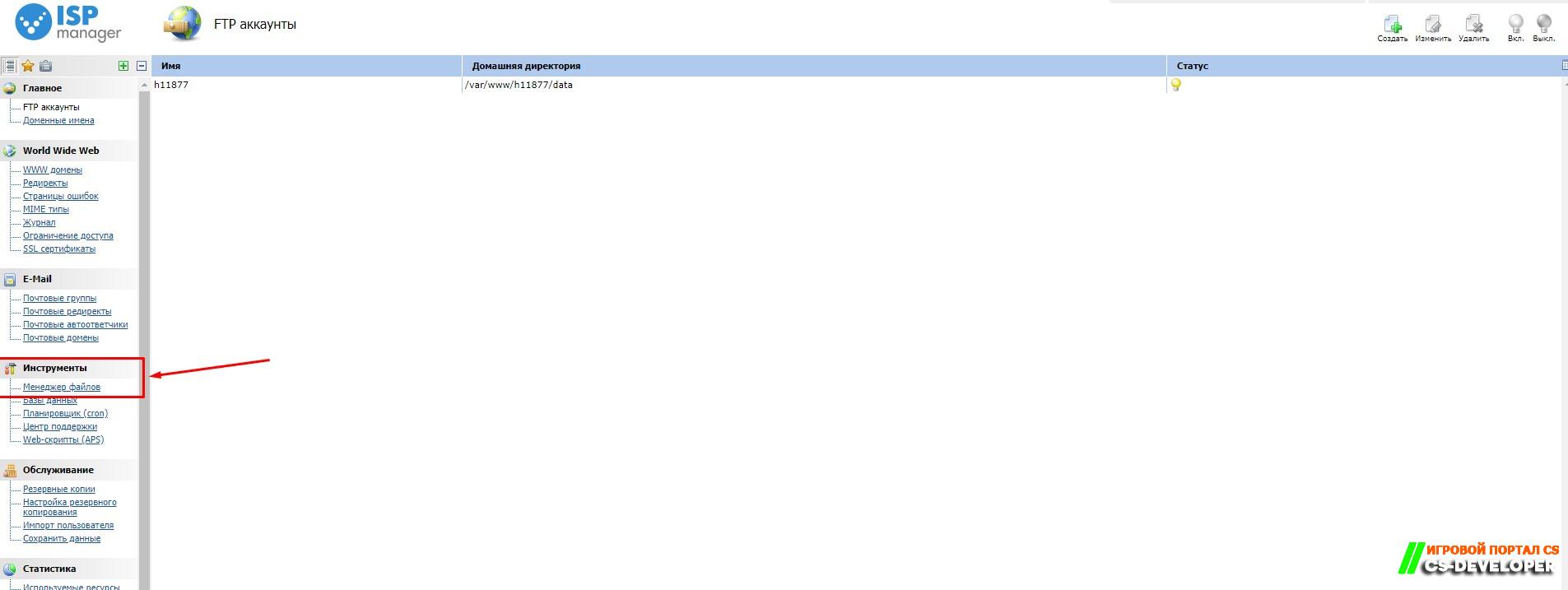
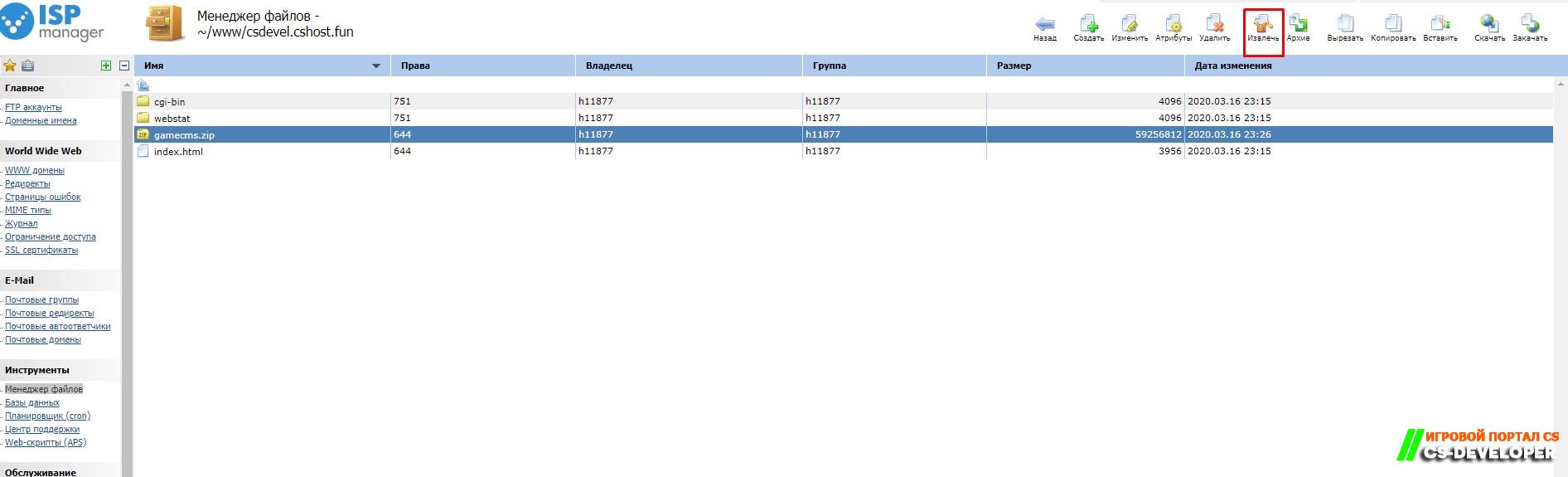
Go to the file manager. Tools - File Manager


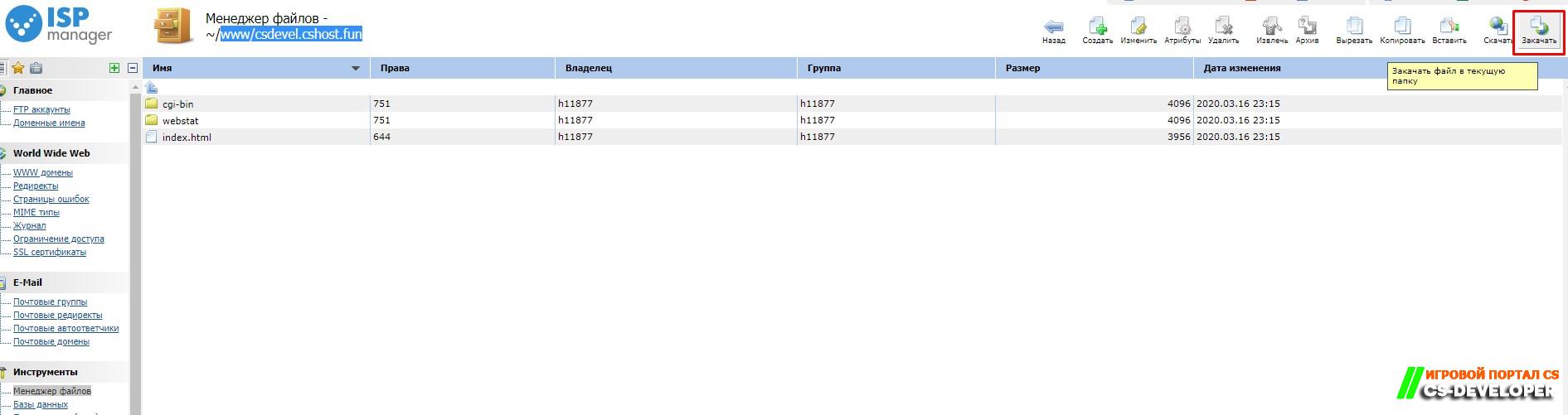
Go to the www/csdevel.cshost.fun directory and upload the archive containing gamecms

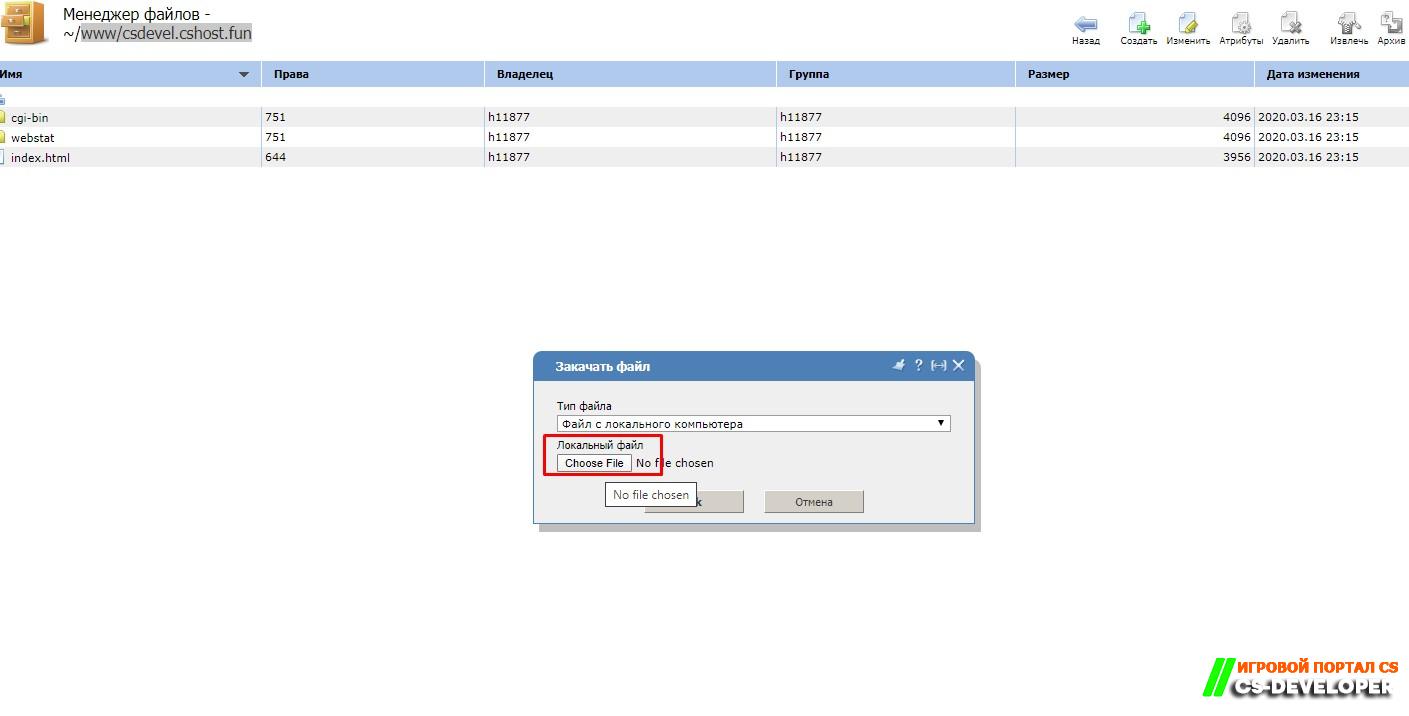
In the window, select a directory for the upload and upload it

Select the gamecms archive and extract it by clicking Extract


Before installation, do the following

1. Set the permissions to 775 for all folders and their subfolders
2. Set the permissions to 664 for all files
3. Set the permissions to 777 for the following folders, their subfolders, and files:
inc/db.php
files/
logs/
templates/


Hold down Ctrl and select all directories, click Attributes, select permissions 775, and click OK
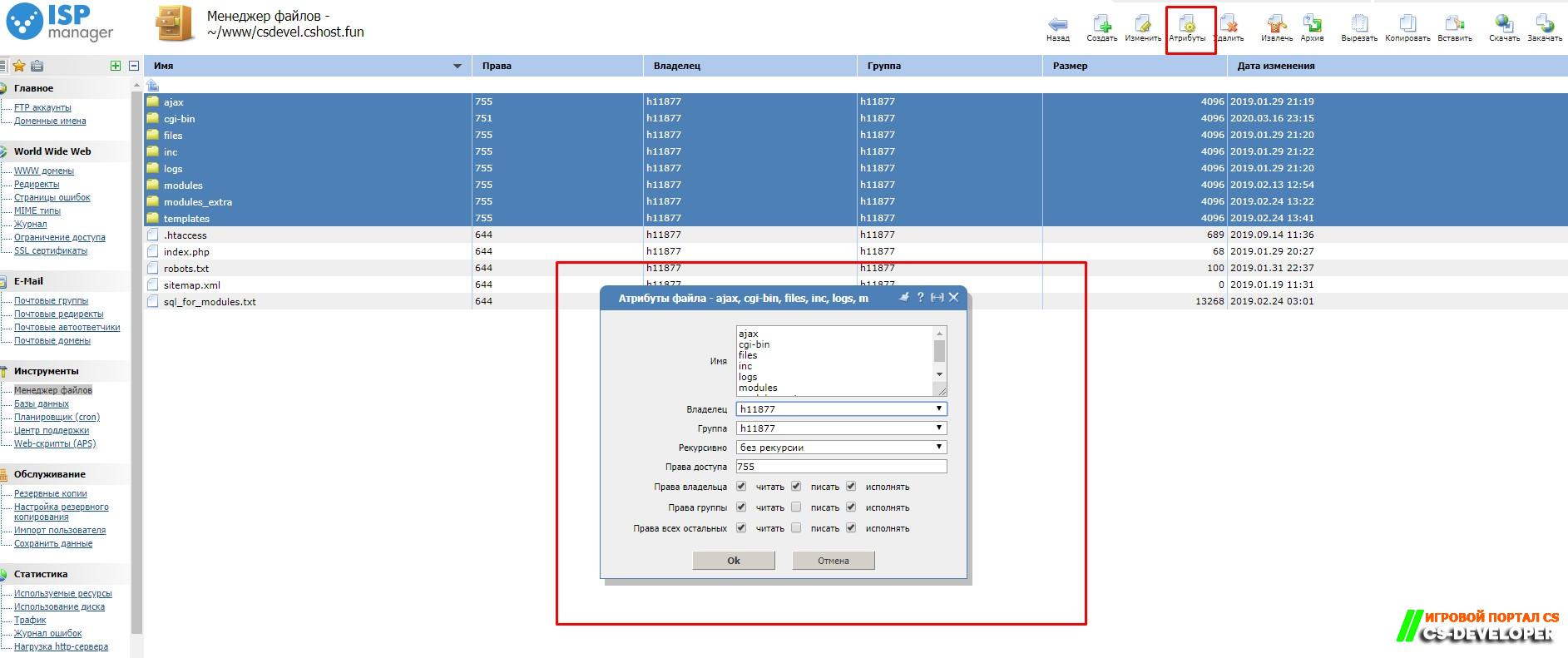
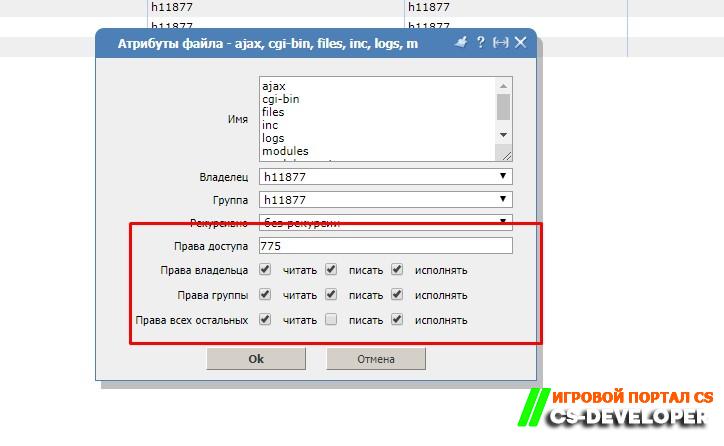

And in the same way, change the remaining permissions for files and directories according to the requirements.  

Create a database: go to Tools - Databases and click Create.
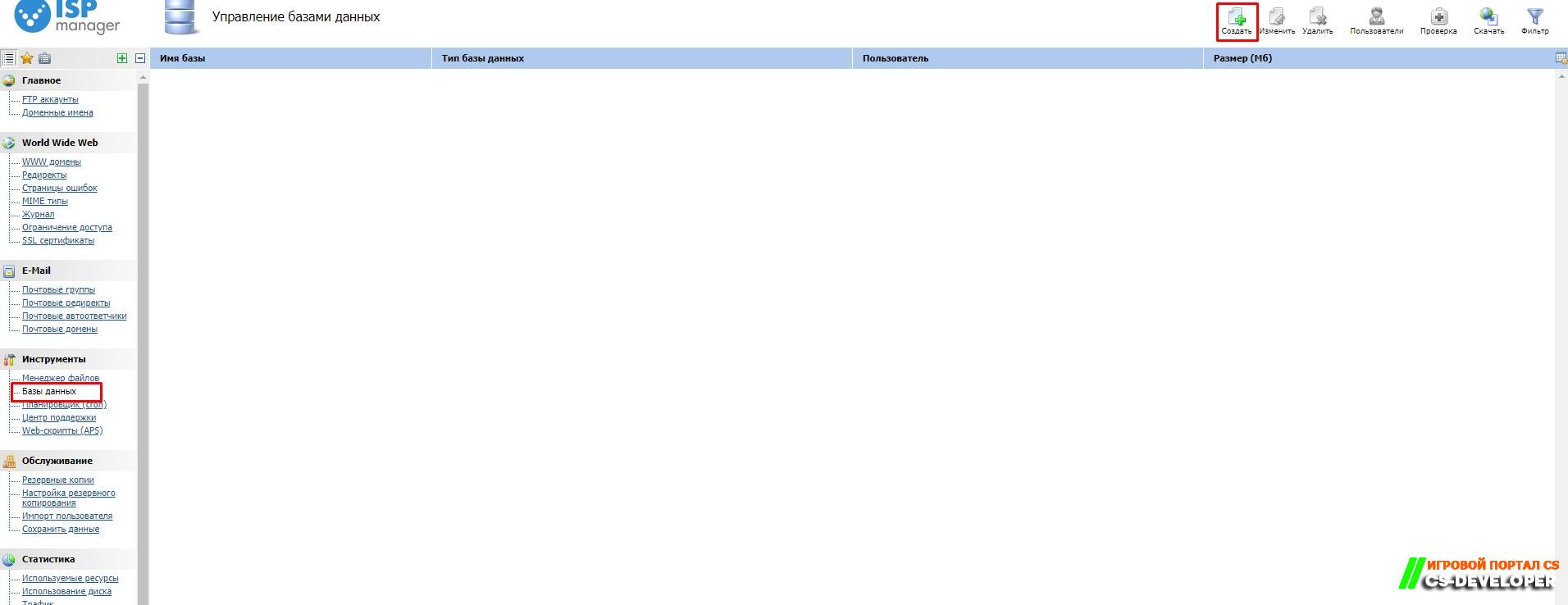


Enter the details you want, enable remote access, and create the database
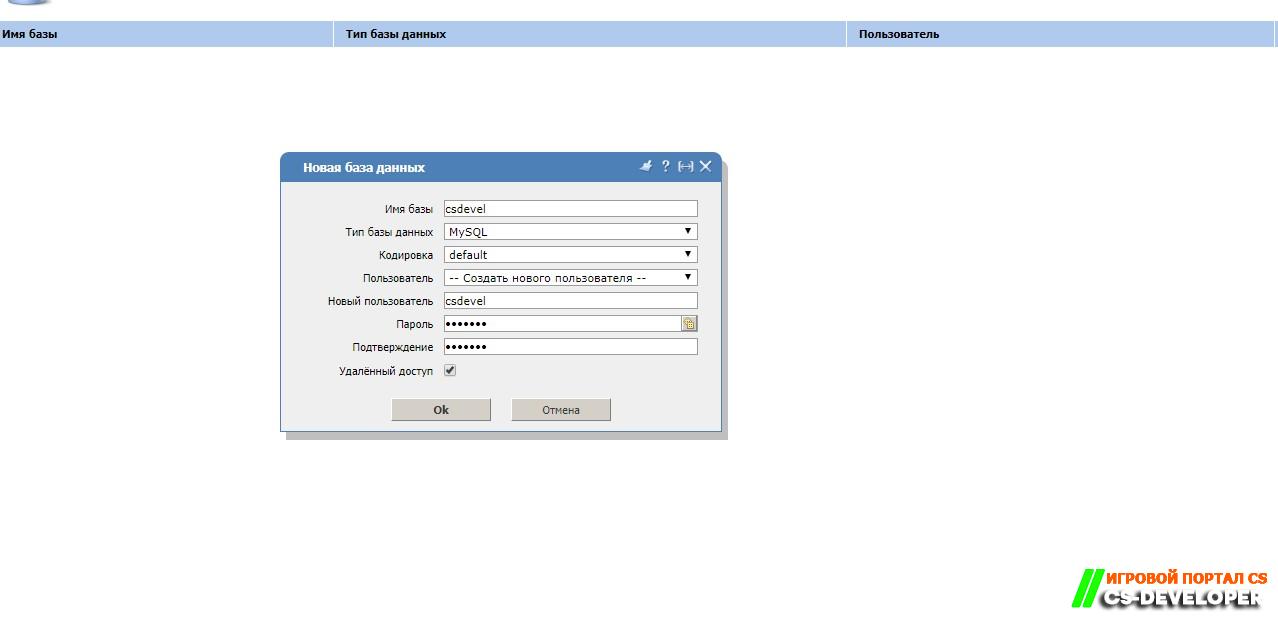


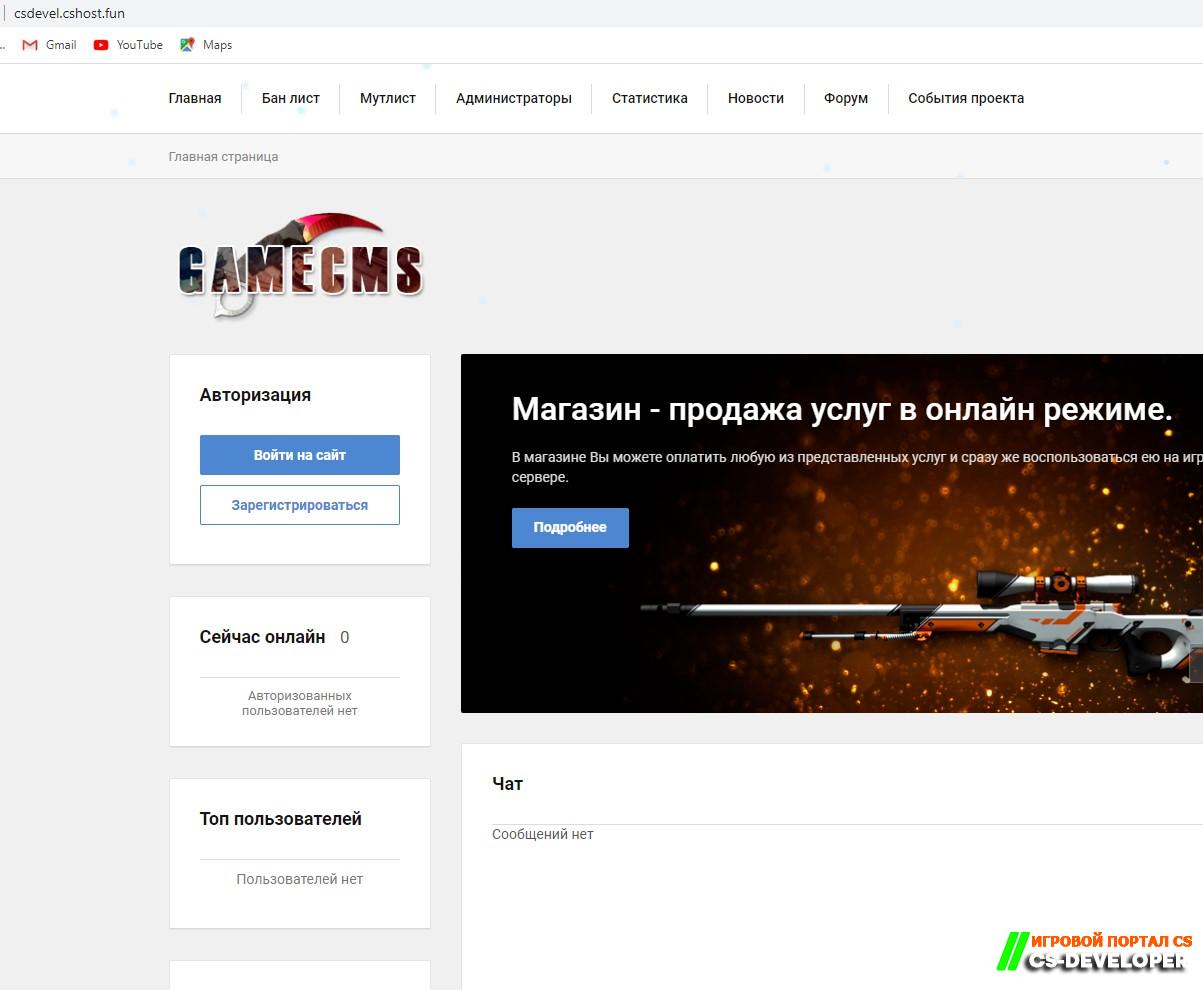
Go to your website, in my case http://csdevel.cshost.fun/index.php (you have your own)
and enter the database details and admin details, then click Install  
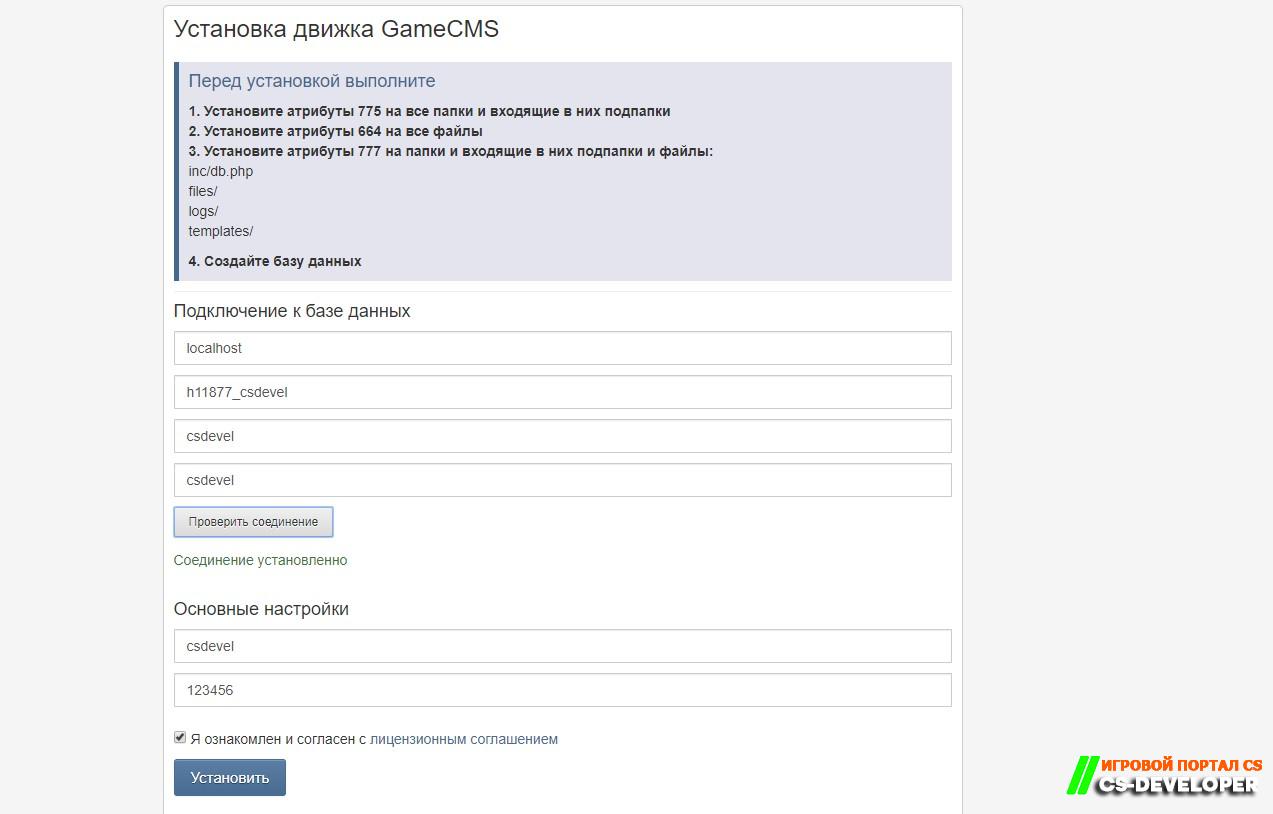


The installation process is complete. Everything is working

gamecms.zip56.51 Mb · Downloads: 1 348

Comments (9)

Add comment

Leave a comment

  1. Glav
    Glav
    4 May 2020 14:06
    не могу авторизоваться, регистрация работает
  2. admin
    admin
    4 May 2020 16:18
    @Dimq отредавктируйте файл (файл config.php в папке inc) добавьте туда свой домен
  3. h0g1n
    h0g1n
    20 June 2020 00:52
    Норм? Без бэкдоров?
  4. deusmaks
    deusmaks
    17 August 2020 00:46
    Это говно не работает.
  5. justpeople
    justpeople
    3 December 2020 22:31
    Не могу зайти в админ панель,  что делать?

    Не могу зайти в админ панель,  что делать?
  6. v1rus
    v1rus
    5 December 2020 13:06
    не работает

    Not FoundThe requested URL was not found on this server.
    Apache/2.4.29 (Ubuntu) Server at 91.211.245.114 Port 80
  7. Sek1N
    Sek1N
    25 December 2020 20:08
    @Василий Пароль который писал при установке
  8. red
    red
    22 May 2023 20:41

    Class Template not found! Class Template not found! Class Template not found! Class Template not found! Class Template not found!

    1. admin
      admin
      25 May 2023 17:06

      Ошибка говорит что у вас имеется ошиюка в шаблоне. При чем тут пост по установке?* 

New content by email

Subscription with email confirmation. No more than one email per day. Unsubscribe via the link in any email.

Join the community

Register · Reset password