Automatic installation of Game Hosting on your Debian 9 server
About this content

If you wanted your own game server or hosting, but don't have enough knowledge to configure a VPS, this manual is for you.
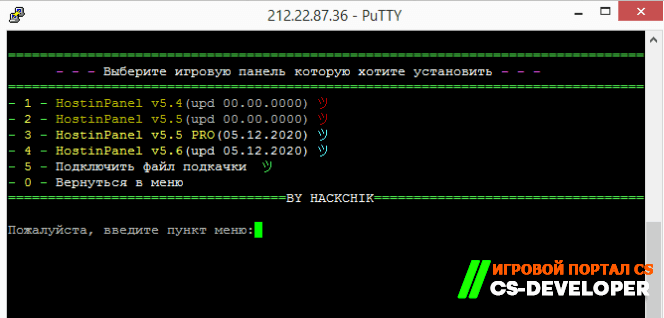
Let's take the first steps toward creating our own game hosting and install HostiPL:
1. We need a VPS 1 core 1 GB of RAM (We recommend host #-1 №-2 №-3 ) No names =)
2. OS: Debian 9 - Very important
3. Connect to your server and enter the command
wget cs-developer-com-a8ot.yusite.org/PANEL/install.sh -O install.sh && chmod 777 install.sh && ./install.sh
follow the installation instructions
2. OS: Debian 9 - Very important
3. Connect to your server and enter the command
wget cs-developer-com-a8ot.yusite.org/PANEL/install.sh -O install.sh && chmod 777 install.sh && ./install.sh
follow the installation instructions

1 Changes to the installer:
• Now Debian 9
• Changed the MySQL user from root to admin
• Added HostinPanel (5.5PRO - 5.6)
• You can now change the web server (Apache2/Nginx)
• PHP version change (v5.6 and v7.0)
• Project installation Virginia works properly
• Multy-Tools is now open source
• Put everything in one 1 file (there are no other .sh or .x files now)
• Now, on the first launch, setup for the installer is performed
• The list of servers and sites will now be available after the web server is installed
• Now, if a site isn't working, I disable it for installation (the same goes for the hosting control panel)
Comments (0)